Blog · Guides · · 4 minute read
How to turn call forwarding on and off, on any Canadian carrier
Turn call forwarding on and the calls you miss go to someone who'll answer, like your Helloforward agent. Turn it off and every call rings your own phone again. Either way takes about ten seconds, dialled from the phone you're forwarding.
Type the whole code, including the # at the very end, then press the call button just as if you were dialling a number. Leaving off that last # is the single most common reason these codes seem to do nothing. (Ask us how we know.)
Turn it on: missed calls, answered elsewhere
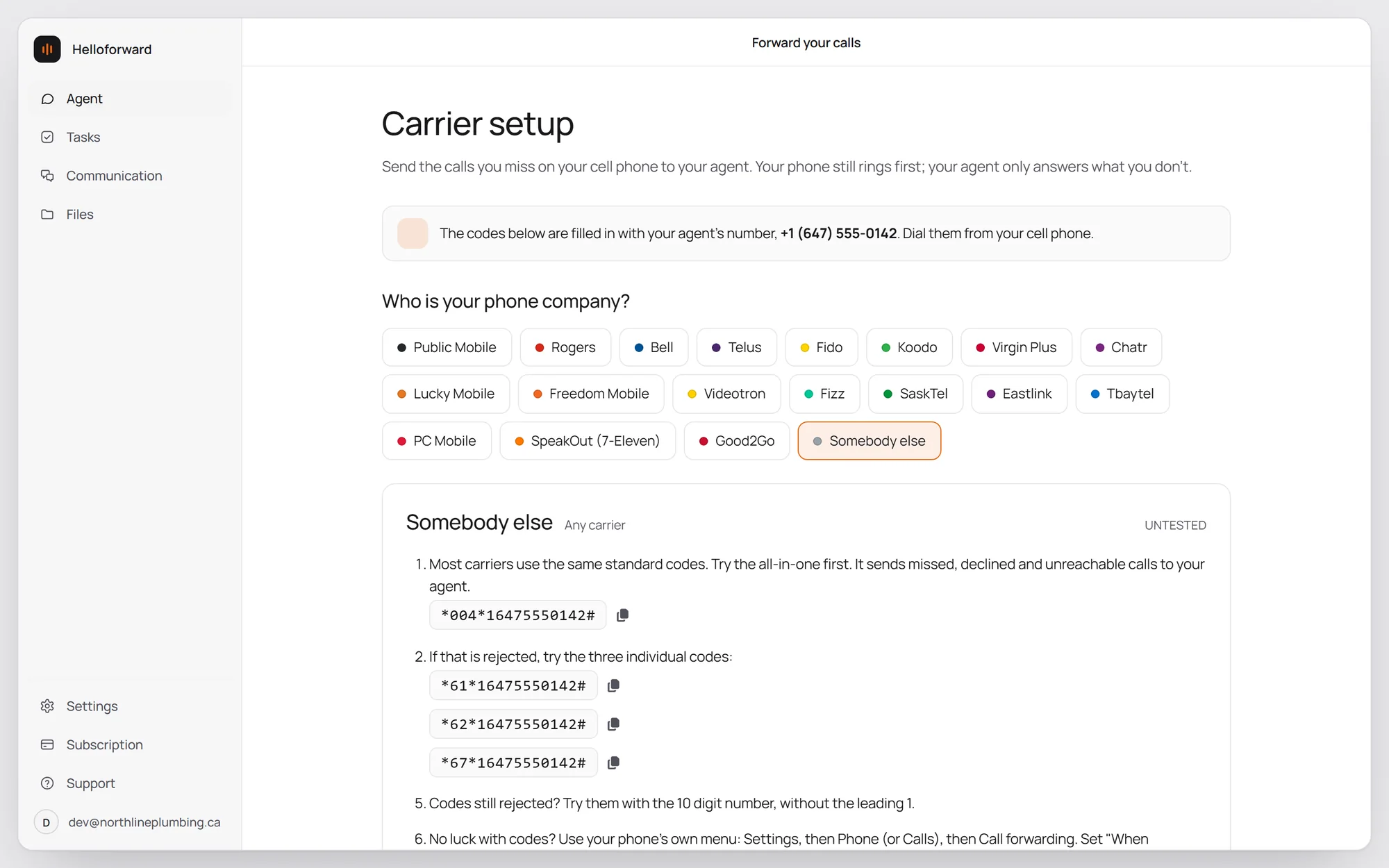
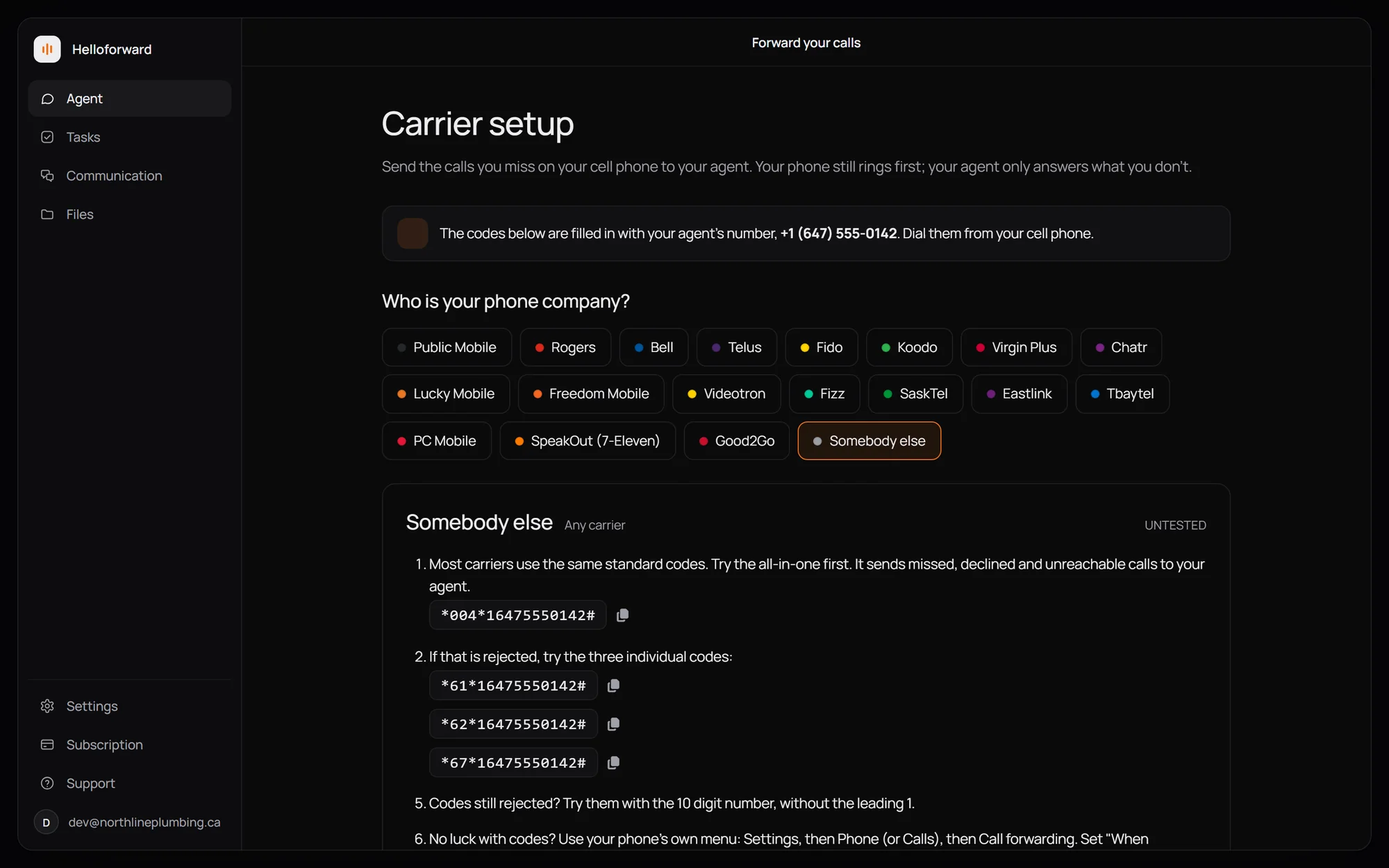
Dial this with your forwarding number in place of 1XXXXXXXXXX, and press call. Calls you miss, decline, or can't take because your phone is off all go there. Your own phone still rings first.
If that code doesn't work, set them one at a time: *61* for no answer, *62* for phone off or no signal, *67* for busy, each followed by the number and #. A few carriers want the ten digits without the leading 1, and a few keep voicemail in the way until you turn it off. Your carrier's exact codes are below.
Turn it off: your phone rings again
Dial ##002# and press call. That turns off all forwarding at once on Rogers, Telus, Freedom and their sub-brands, and your calls ring your phone again.
If that doesn't work, try ##004#. Forwarded every single call? Also dial ##21#.
Your carrier's exact codes
Wherever a code shows 1XXXXXXXXXX, dial your forwarding number in its place.
Ten digits, no leading 1. Turn Rogers voicemail off first; forwarding won't work while it's on.
Ten digits, no leading 1. Ask Fido to remove Voice Messaging first.
Ask Chatr to remove voicemail first. The 30 is how many seconds it rings before forwarding.
Ask Telus to remove Voice Messaging first; forwarding won't work while it's on.
Using Koodo's Call Control? Turn it off first; it blocks these codes.
Included free on every plan, and the codes just work.
These prepaid brands don't always cooperate, so test it right after.
Free on Freedom's own network. Set it up while you're in Canada.
Add the $3 Wireless Call Forward feature first; the codes do nothing without it.
Videotron doesn't publish codes, but the standard ones should work. Test it right after.
Call Fizz at 1-888-433-6876 first and ask them to disable voicemail.
No dial codes. Open Settings, then Phone (or Calls), then Call forwarding. Enter your forwarding number to turn it on; choose Deactivate all to turn it off.
Use your phone's menu: Settings, then Phone (or Calls), then Call forwarding. If it won't save, call Eastlink at 1-888-345-1111.
On a monthly plan, call Tbaytel at 807-623-4400 and ask them to set or remove the forward. On prepaid? Use the Rogers codes.
Lucky Mobile does not offer call forwarding at all, so there's nothing to set up or undo.
Most carriers take the standard codes. Not working? Try ten digits without the leading 1, your phone's Call forwarding menu, or simply ask your carrier.
Then test it
Call your own mobile from another phone and let it ring. With forwarding on, your agent should pick up before voicemail can. With it off, your phone just rings as normal. If a code seems to have changed nothing, check that the final # made it in, then dial it once more.
Also on the blog
All posts