Blog · How it works · · 5 minute read
A support agent for your business, not just your phone
Helloforward is an AI support agent for entrepreneurs. It looks after your customers by phone and text, day or night, books the work, follows up when someone goes quiet, keeps your calendar, notes and files in order, and tells you what it did. Think of it less as an answering service and more as someone on your team.
You keep your own number, and you run it all by talking to your agent, in the app or from your cell. It even speaks your customers' language, at no extra cost.
The pictures below are from a sample plumbing company, Northline Plumbing. You can call its line at the end and hear it for yourself.
- Working with you
- Asking first
- Your customers
- Jobs and follow-ups
- Quotes and photos
- Setting it up
- Your number
Talk to it like someone on your team
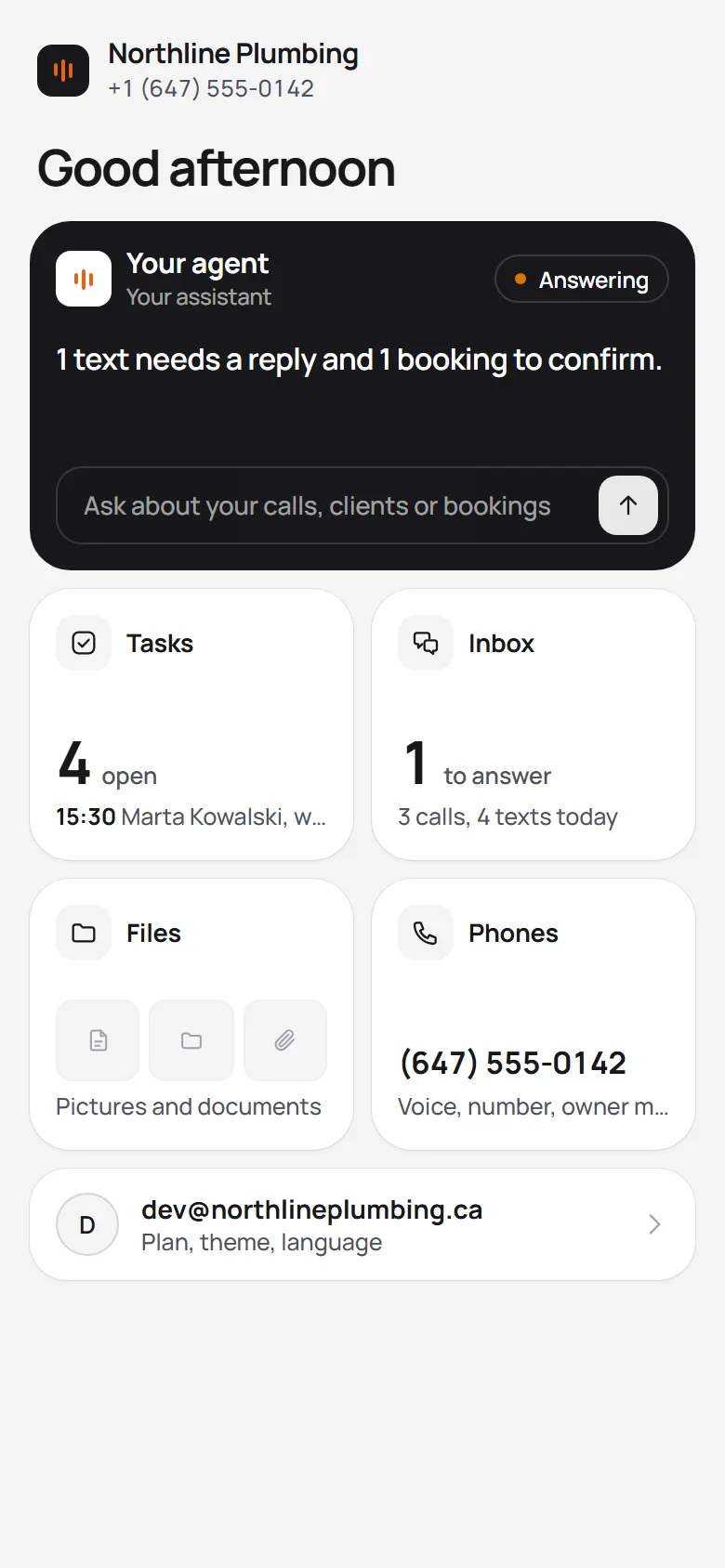
Open the app and you're talking with your agent. It deals with your customers all day so you don't have to watch the phone. When you check in, it tells you what needs you, and that's it.
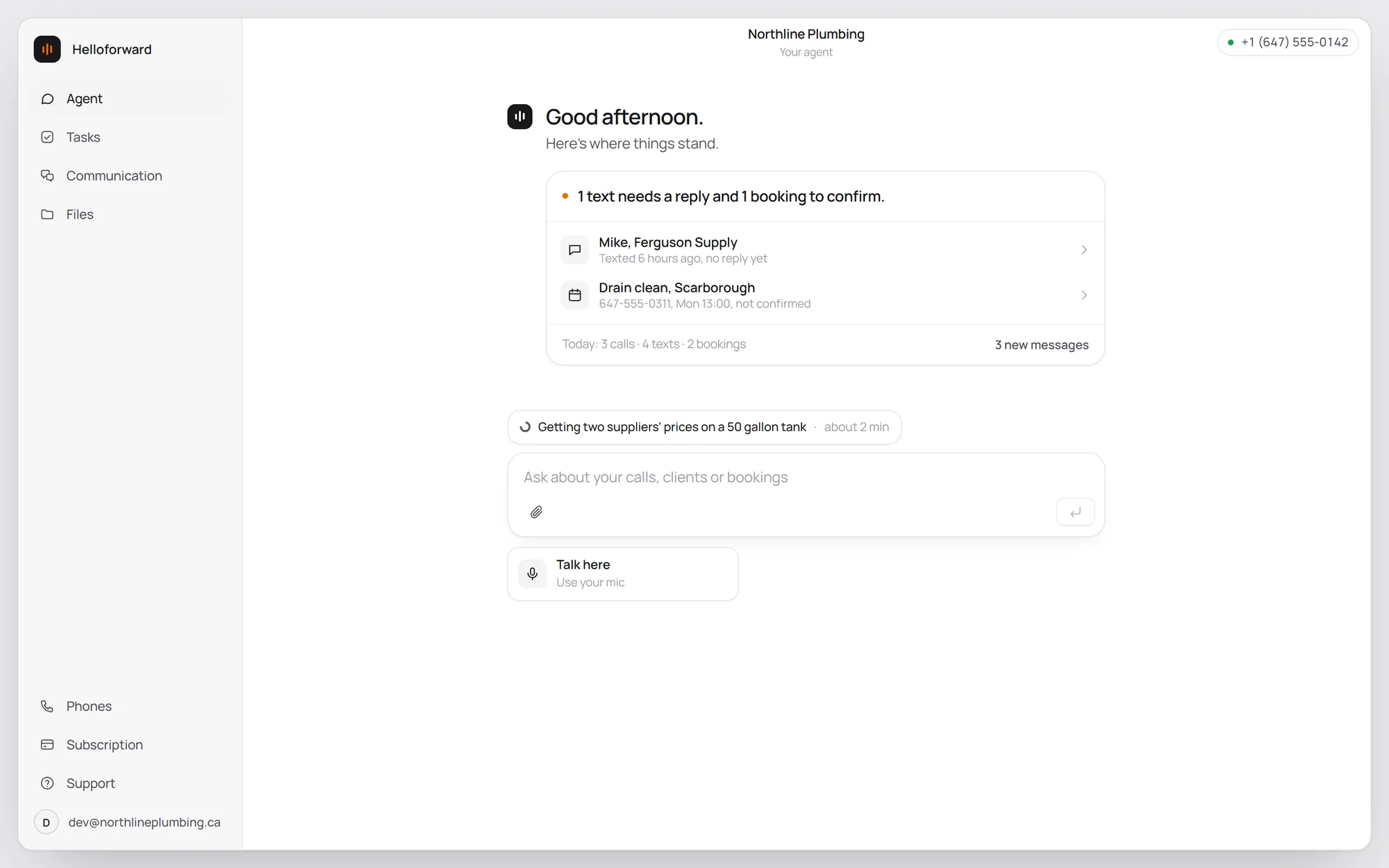
During the day it keeps you posted:
- Every morning, a rundown of the day and anything that came in overnight.
- After a call, a quick note when it matters: a job booked, a callback promised, something urgent.
- Through the day, updates on anything still open. Hourly, or as often as you like.
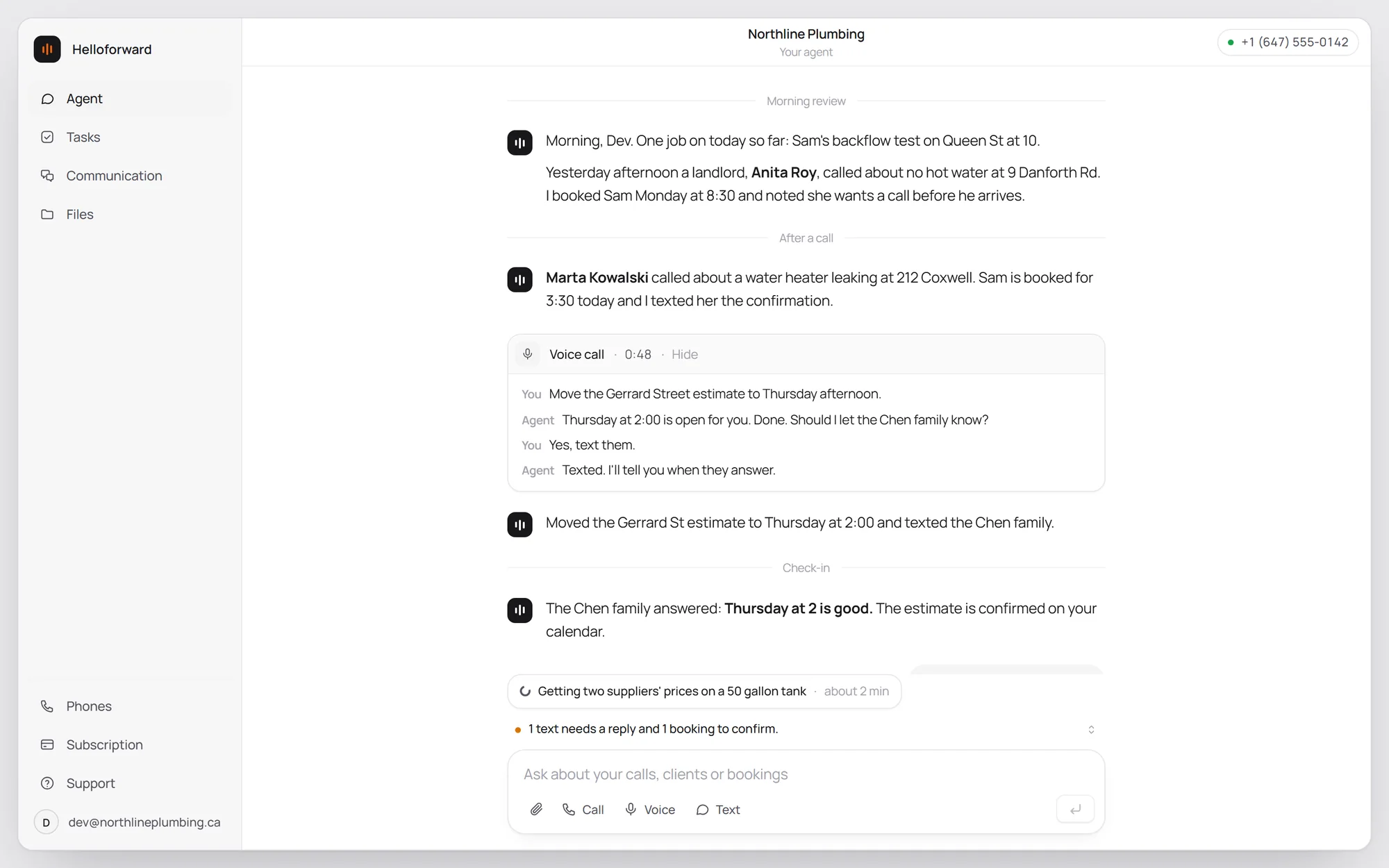
Talk to it however suits you. Type, talk to it in the app, or call or text your business number from your cell. It knows it's you, so it takes your instructions instead of taking a message. Your callers never hear any of that.
It asks before it acts
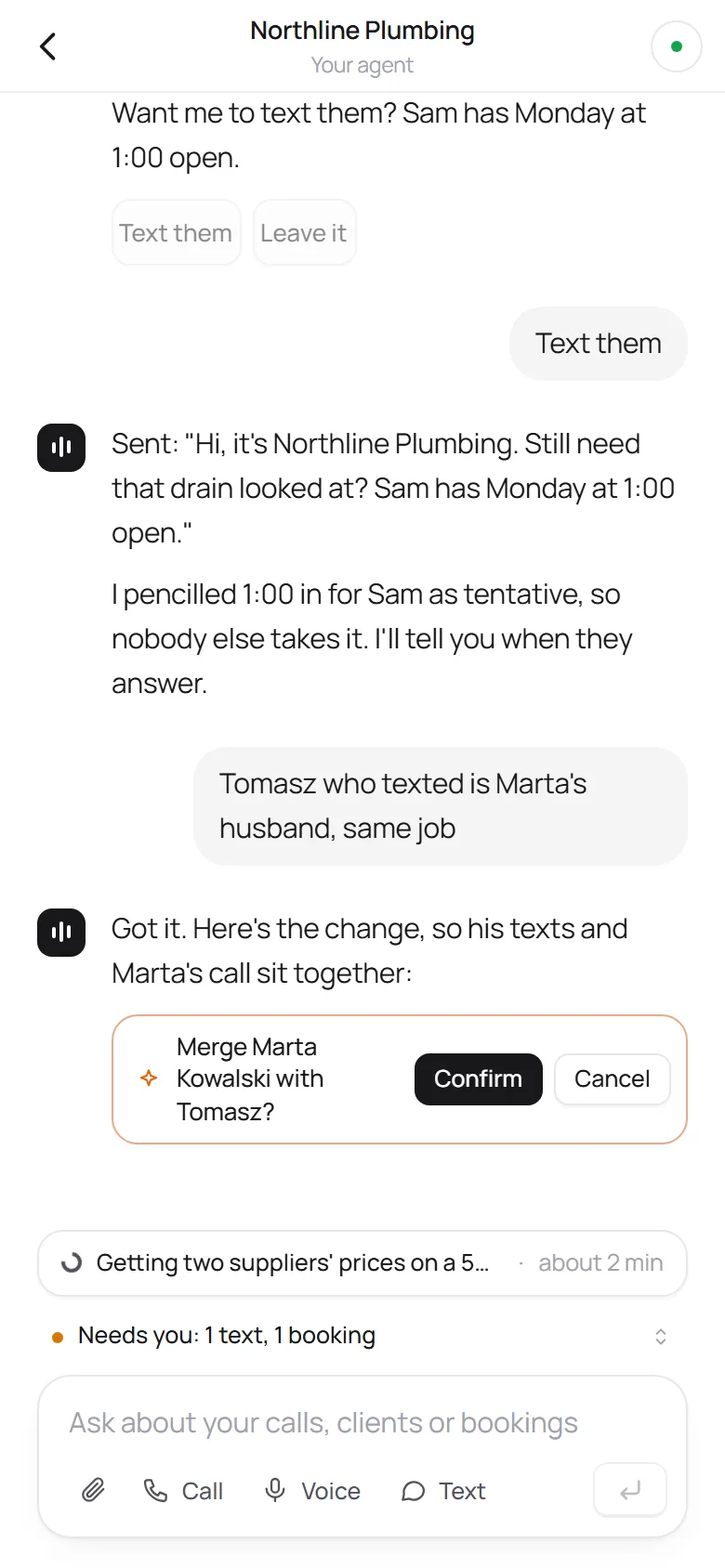
When your agent needs a yes from you, it doesn't send a wall of text. It says what it wants to do, and you tap yes or no.
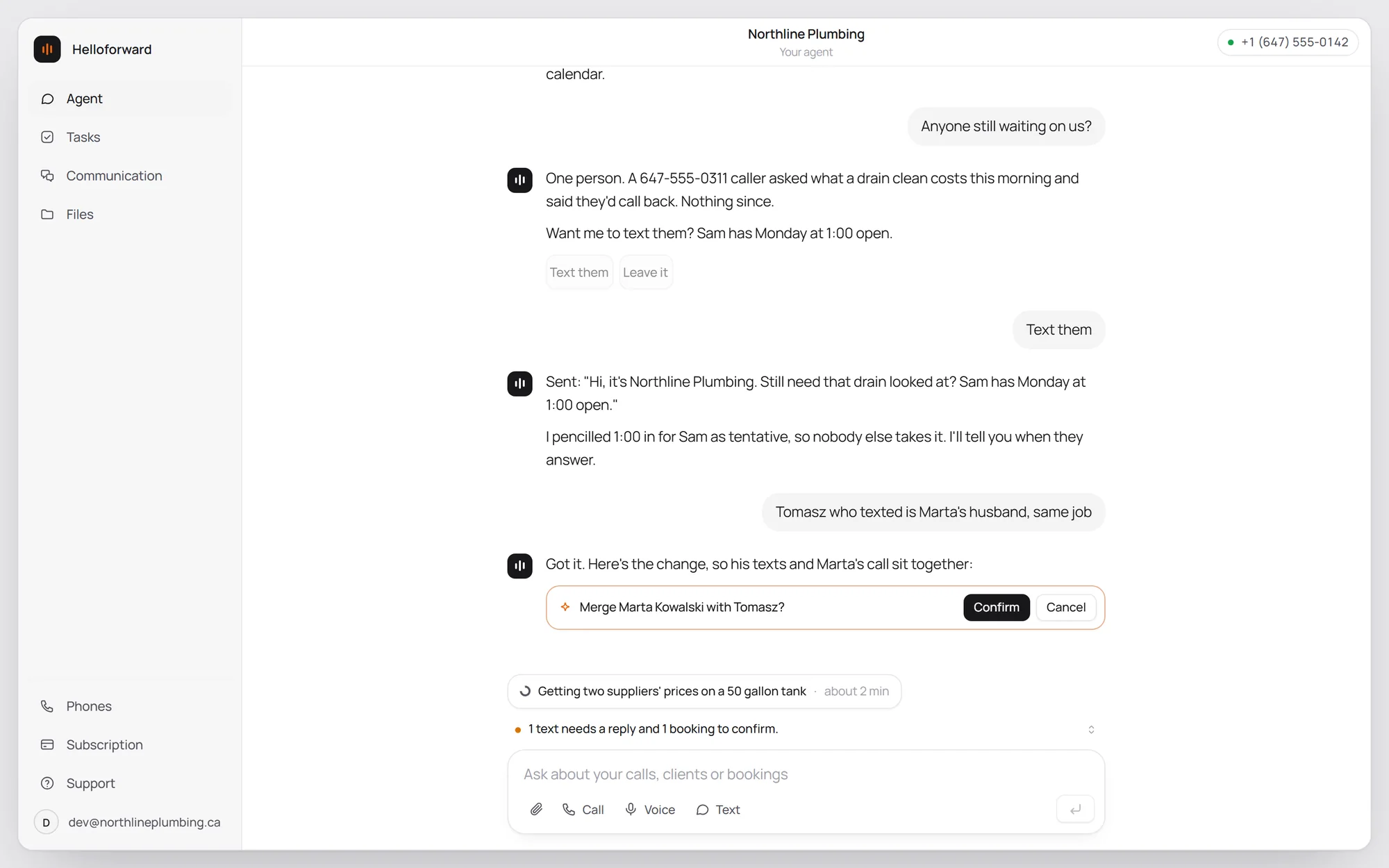
Ask for something that takes a few minutes, like prices from two suppliers, and it gets on with it while you carry on. It tells you when it's done.
Every customer, remembered
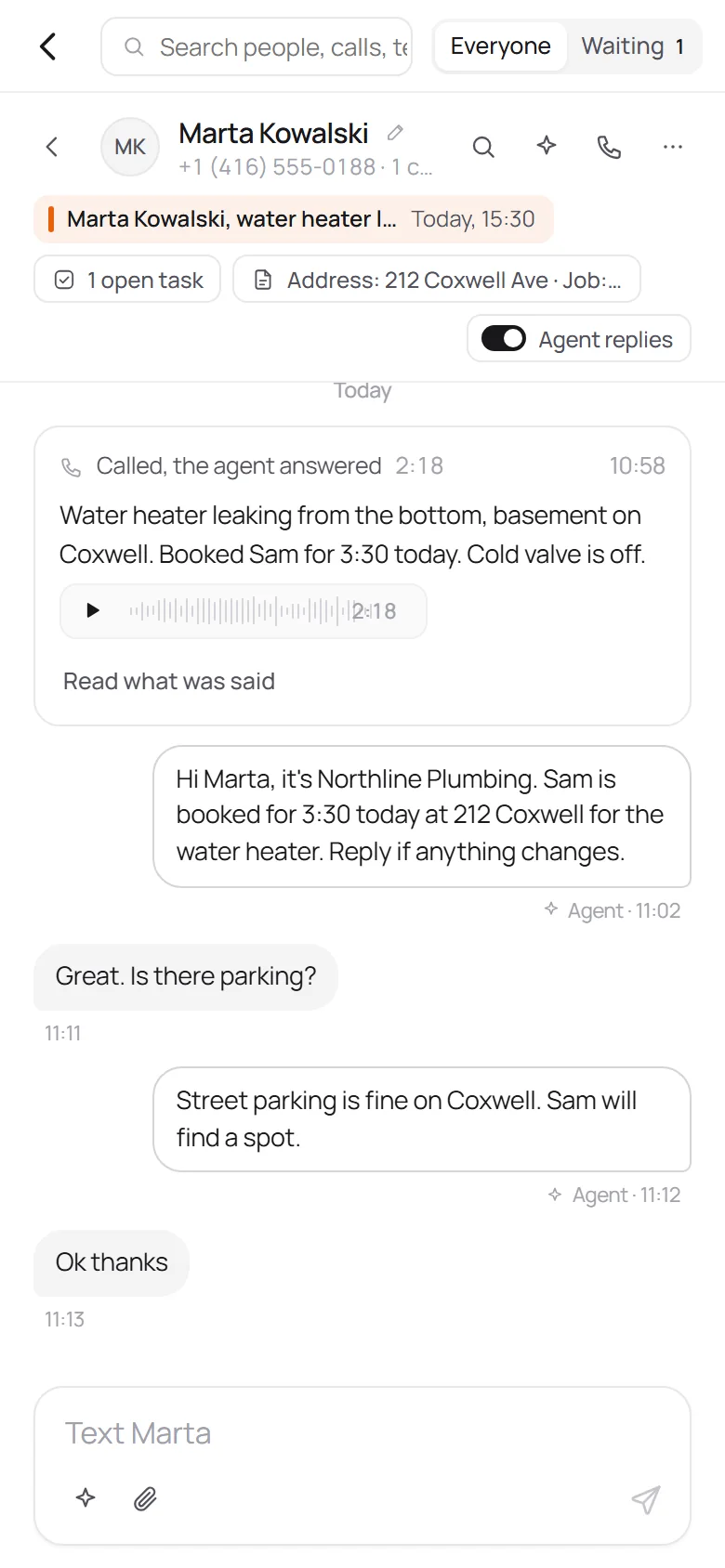
A customer who called twice and texted once isn't three entries. You see everything with that person together: every call, every text, and what your agent learned on the call, like the address, the job and how urgent it is.
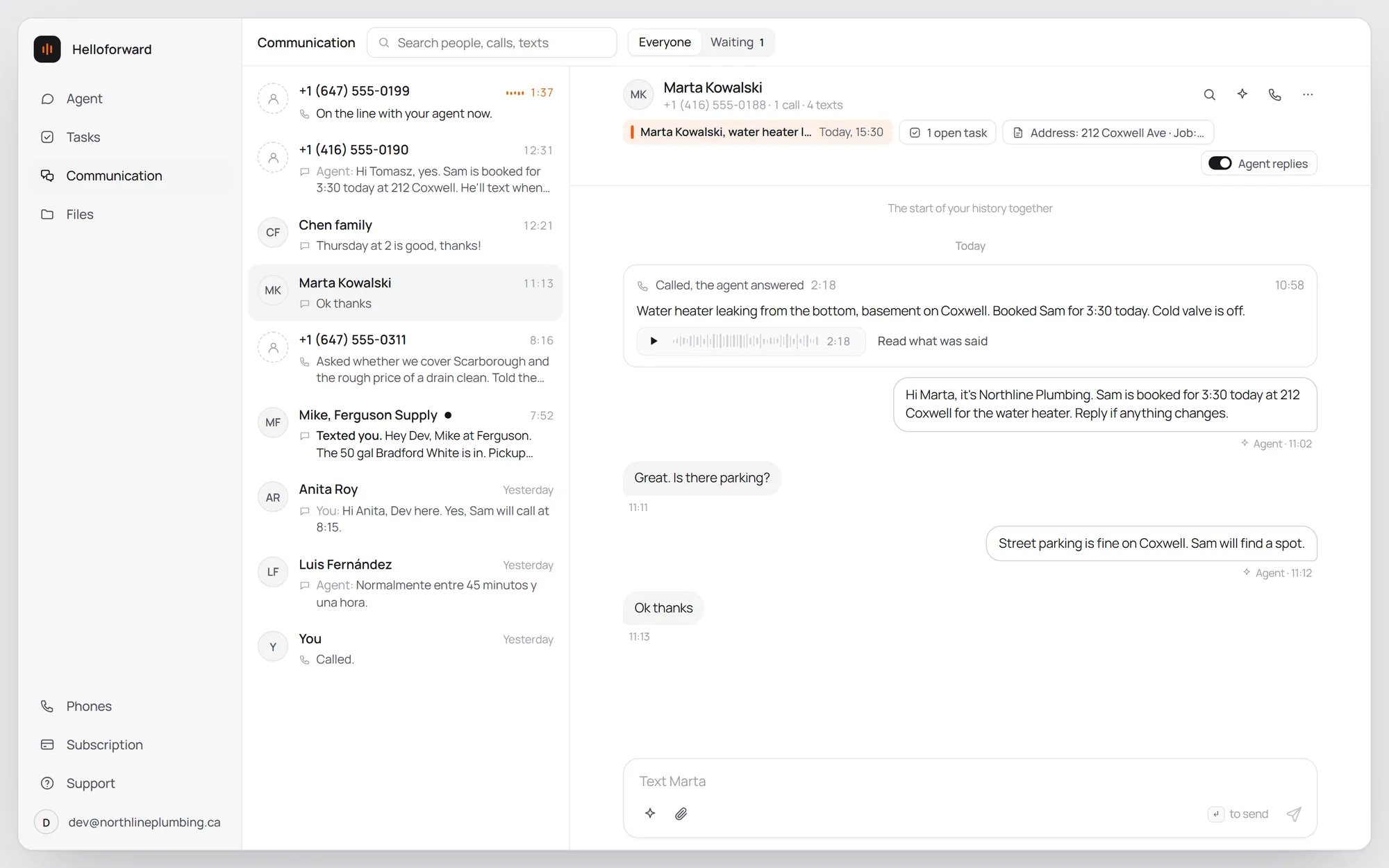
- Listen back or read it. Every call is recorded and written out.
- Answer some people yourself. Turn the agent off for one person, like your supplier, and reply to them yourself.
- See who's waiting. One tap shows who still hasn't heard back.
- Ask about anyone. Ask your agent about a customer and it already knows the whole history.
Jobs and follow-ups, handled
After a call, your agent writes down what needs doing: the callback, the part to order, the job it booked. Jobs go on the right person's calendar, so Sam's jobs and yours don't clash. You decide whether it books on its own or checks with you first.
It follows up, too. A quote with no answer or a customer who hasn't confirmed gets the text you would have sent, and your agent tells you how it went.
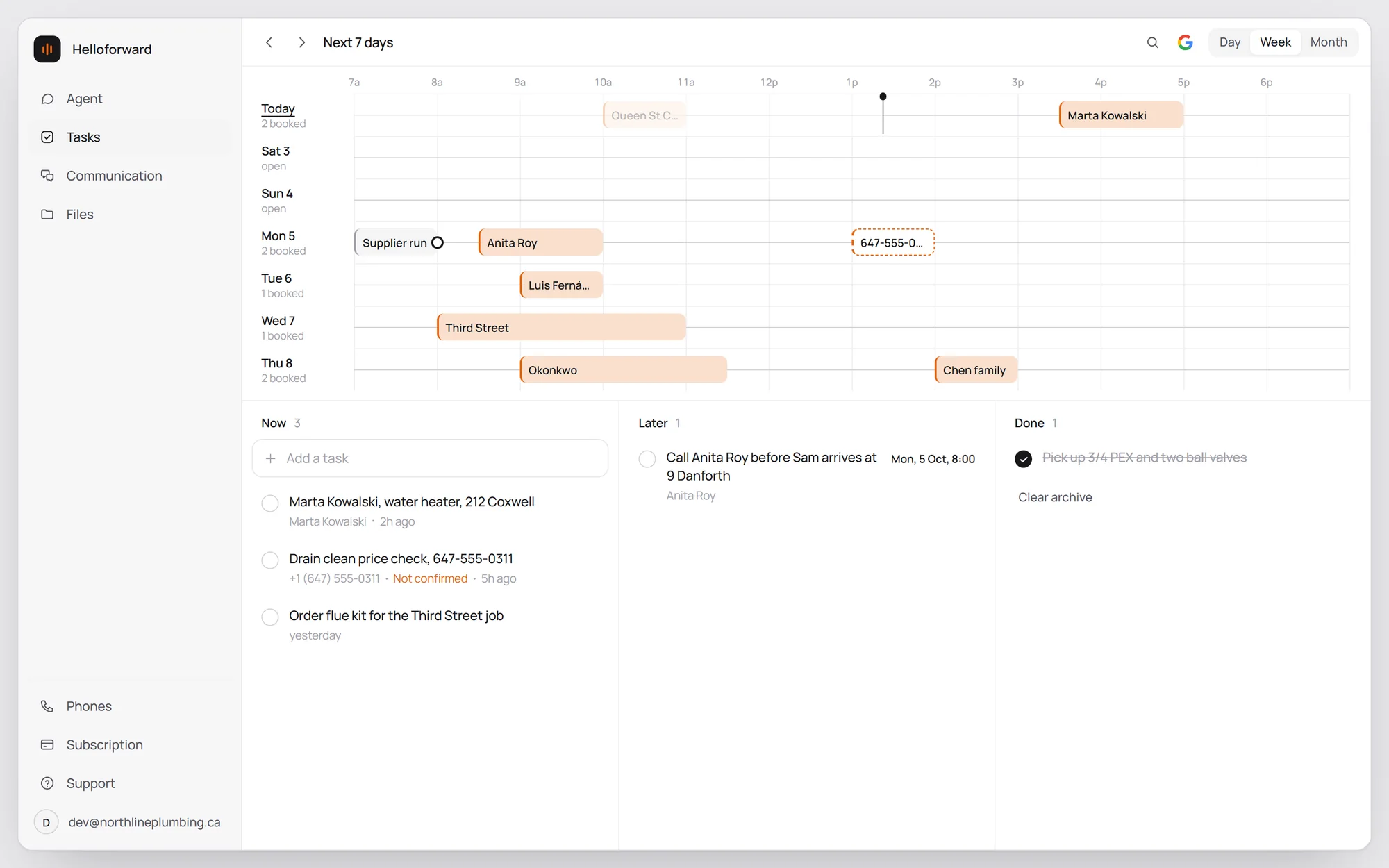
Use Google Calendar? It stays in sync both ways. Don't use it? Everything works fine without.
Your quotes and photos, kept handy
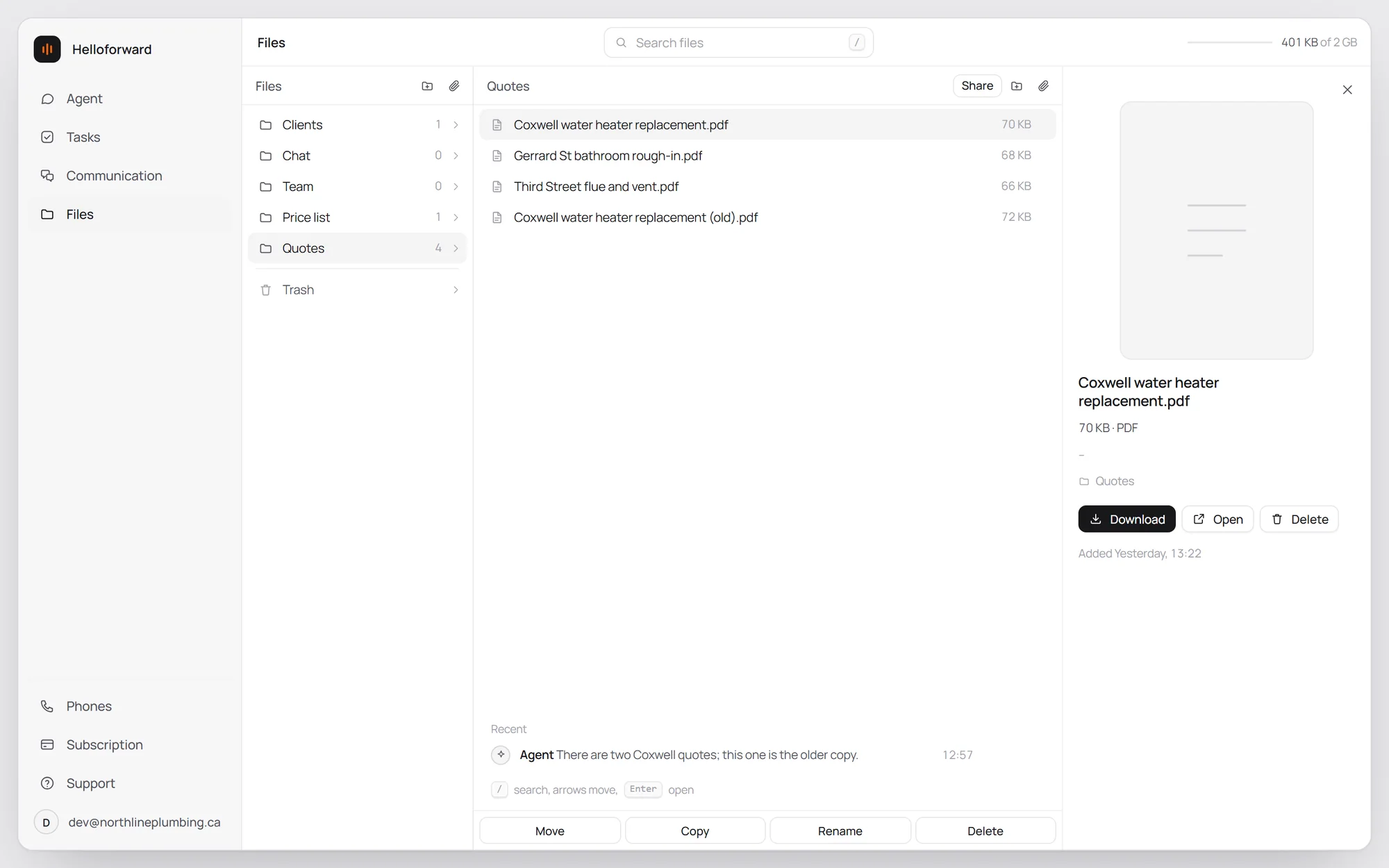
Quotes, price lists, photos customers text in: your agent files them by customer and finds them when you ask. It never deletes anything on its own. If it thinks something should go, like an old copy of a quote, it asks you first.
Set it up once
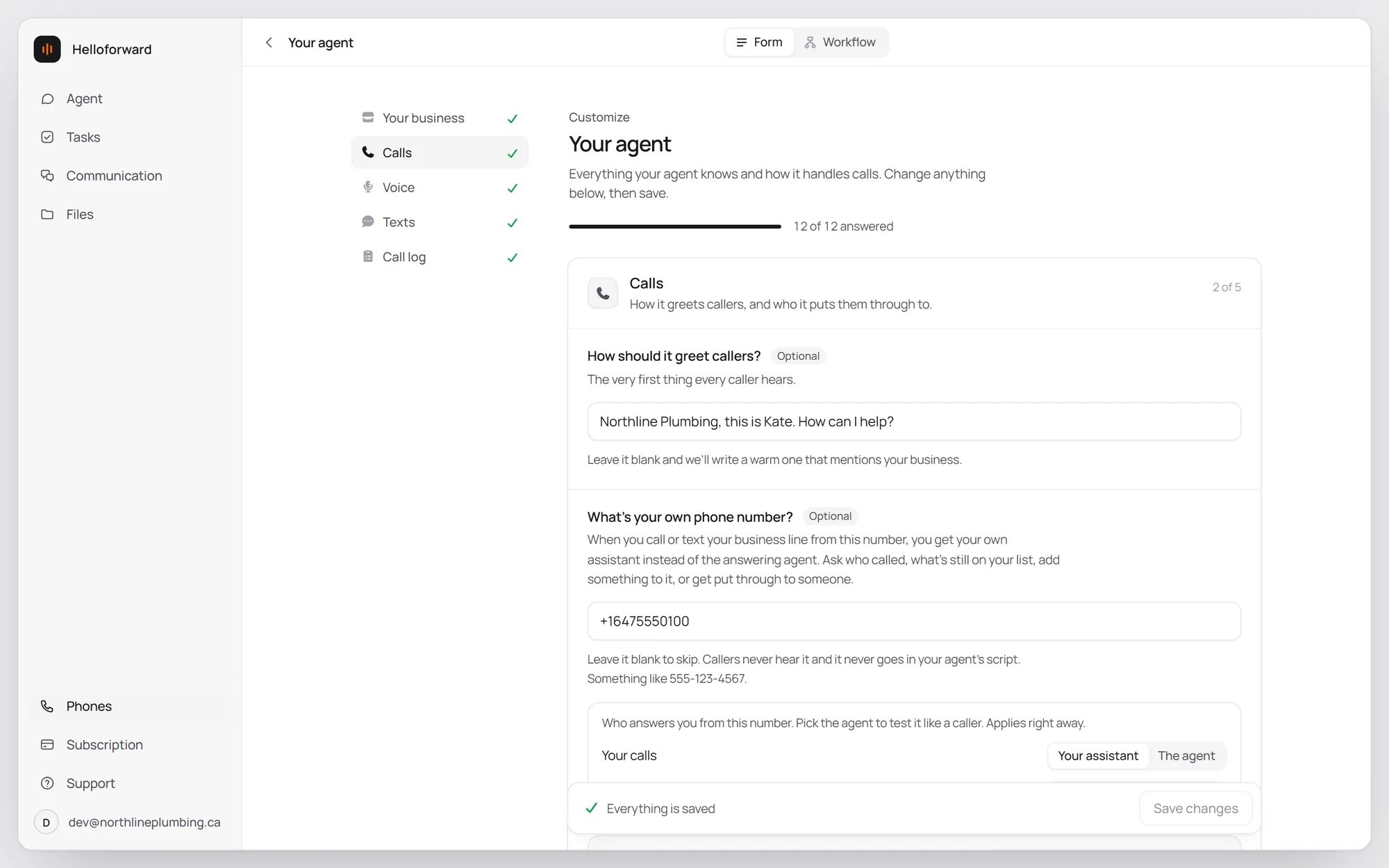
Tell your agent about your business once: your services, your hours, how to greet callers, who to put through to, how to text. Paste your website and it fills most of that in for you.
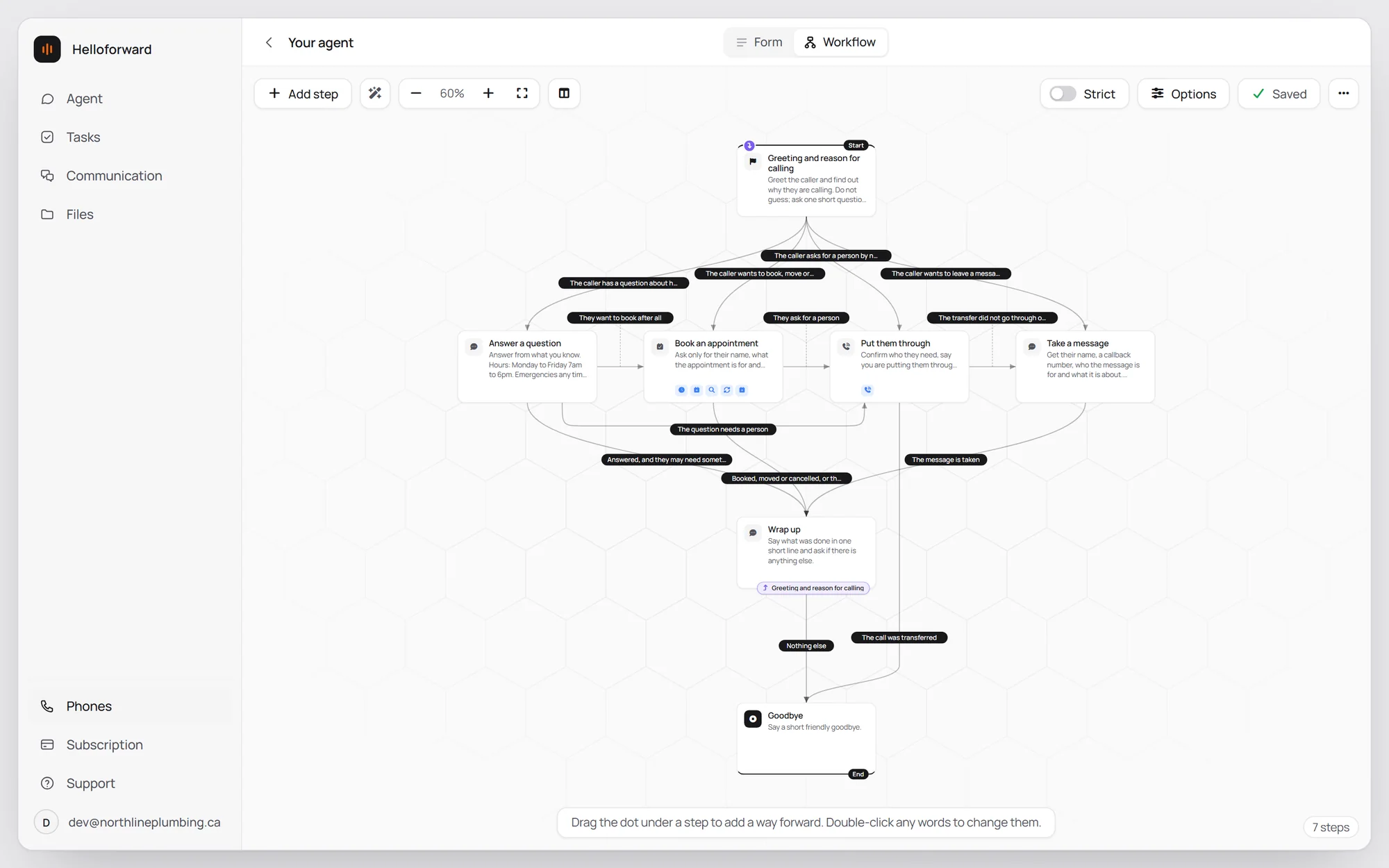
Want more say in how a call goes? Every call follows a few simple steps: say hello, then answer a question, book a job, put the caller through or take a message, and wrap up. You can change what it says at any step, add your own, and have it stick to your order.
Your number, your voice
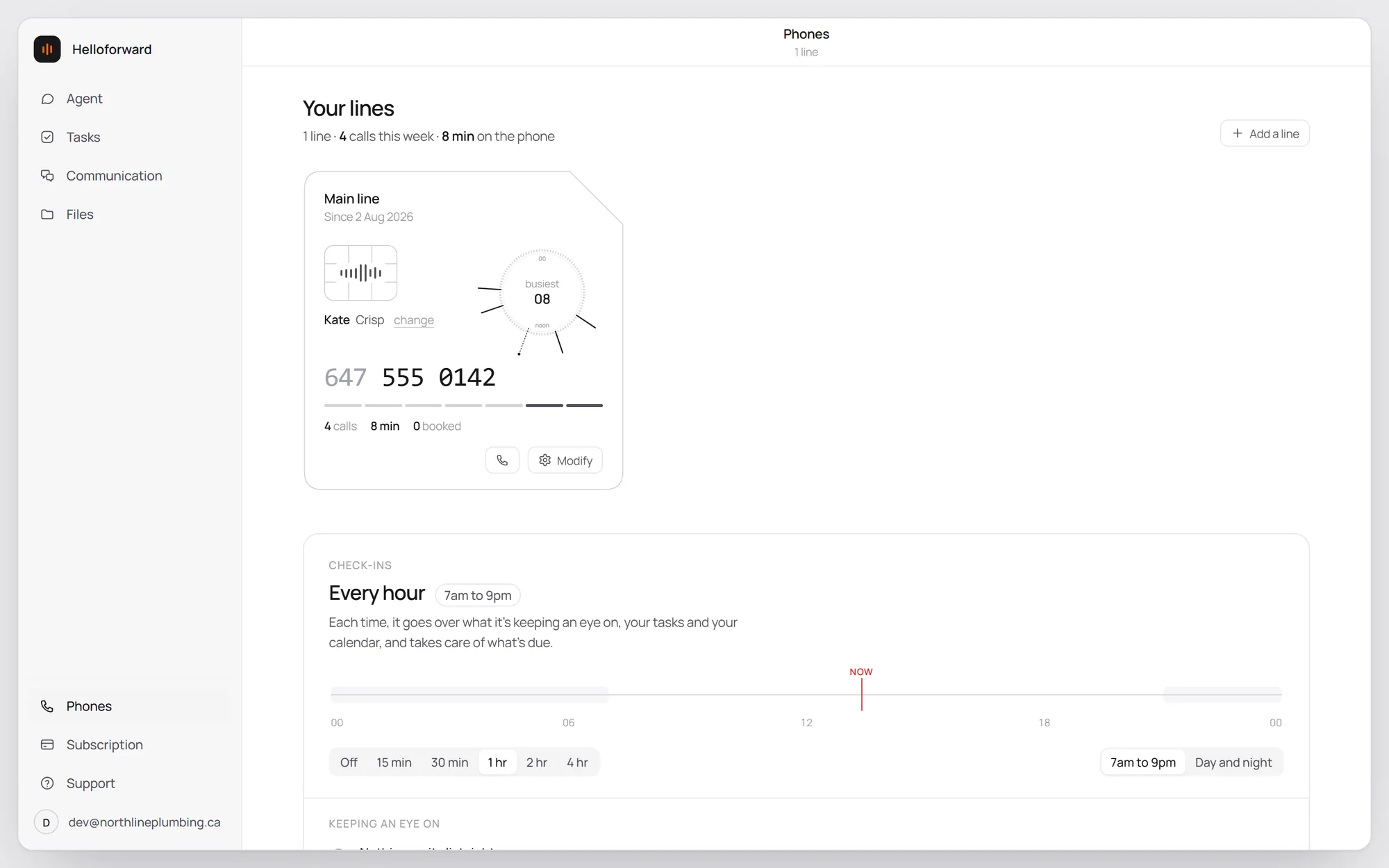
Pick the voice your callers hear, and listen to it before you switch. It can tell callers the call is recorded, in that same voice. And you can see how many calls your line has taken this week.
To send your calls to it, you turn on call forwarding from your cell. It takes about ten seconds. Here's how on every Canadian carrier.
Hear it before you sign up
Call one of these numbers and ask about a price, a booking or the hours. You'll get Northline's agent. Yours would answer for your business.
Let your agent take it from here.
Set up in minutes. First week free, no card needed.
Start your free weekOr hear it first: call our sample plumbing company. Yours would answer as your business.
Also on the blog
All posts